- Roof claims got bigger in 2025: Verisk puts the average replacement claim at $17,631, up 33%, so each claim's paperwork carries more money.
- Start with one problem you can measure, rather than trying to automate the whole business.
- Keep claim emails, photos, estimates, and follow-up dates together, and use AI to prepare work, not to approve estimates or promise coverage.
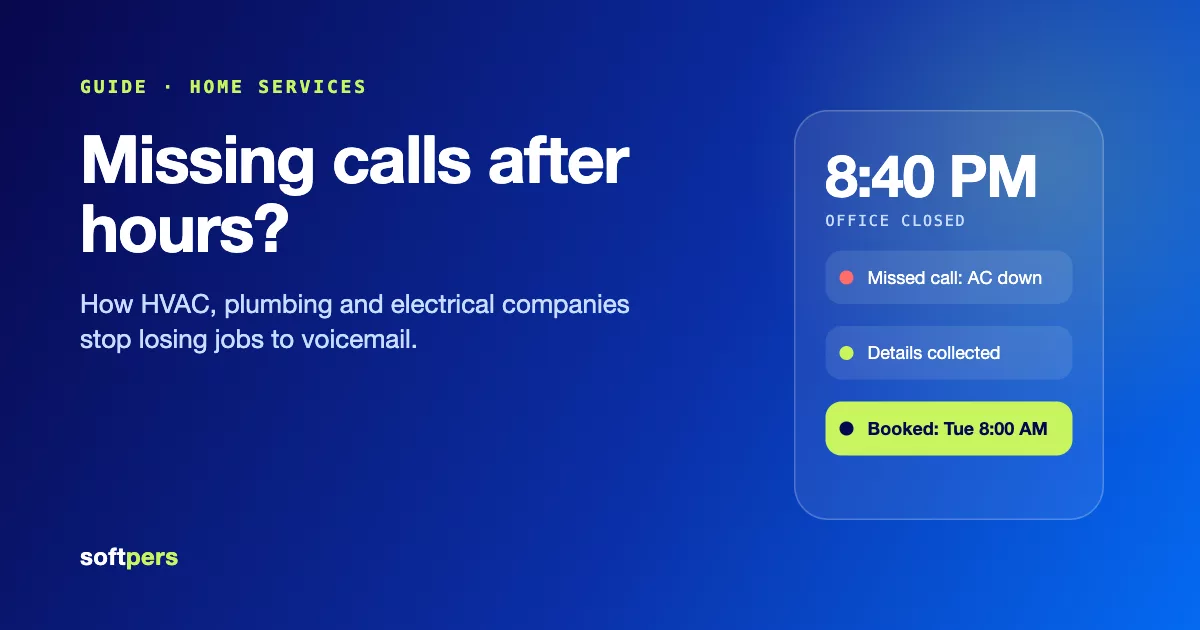
- Capture storm calls without promising inspection slots your crews cannot cover; in Invoca's 2024 data, fewer than 3% of callers sent to voicemail leave a message.
- Office time is the cost to beat: BLS puts office clerks at building exterior contractors at $23.06 an hour, and Softpers automation projects start from $3,000 and go live in 1 to 4 weeks.
After a storm, the phone starts ringing before the paperwork from the last job is finished.
One homeowner wants an inspection. Another wants an update. An insurance estimate arrives by email, but the roof photos are in someone's phone. Your estimator is trying to match everything in Xactimate.
Meanwhile, a finished job brought in less money than expected. Nobody has had time to find out why.
You do not need another tool that gives your team more things to update. You need a simpler way to move each job from the first call to the final cost check.
| The work | What AI can prepare | What stays with your team |
|---|---|---|
| Claim emails | Sort incoming email, suggest the matching job, draft a follow-up. | Confirm unclear matches and send follow-ups. |
| Supplements | Gather evidence, compare it with the estimate, flag possible gaps. | Decide what goes into the supplement. |
| Storm calls | Capture caller details and create a callback or inspection request. | Confirm appointments and any customer commitment. |
| Job costs | Group invoices and highlight differences from the estimate. | Record why each difference happened and adjust the next bid. |
Why storm work is harder on the office in 2026
Fewer claims did not mean less work. Verisk, the company behind Xactimate, also found that the average roof repair claim reached $4,699 in 2025, up 25% on the prior four-year average. Bigger claims mean more line items to check, more photos to match, and more money riding on every missing document.
Hail is also reaching more roofs. In 2025, severe hail (1 inch or larger) hit 20% or more of the roofs in 16 states, up from 12 states in 2024. In Kansas, the figure was 51.8%.
| Verisk figure for 2025 | Number | What it means for your office |
|---|---|---|
| Average roof replacement claim | $17,631 (up 33%) | More money depends on each estimate and supplement being right. |
| Average roof repair claim | $4,699 (up 25%) | Smaller jobs still need the same paperwork. |
| States with severe hail on 20% or more of roofs | 16 (up from 12 in 2024) | Storm surges reach more markets. |
None of this needs a bigger office. It needs a process where each job's paperwork sits in one place and the routine preparation is done before a person looks at it.
1. Stop chasing claim details across email threads
Picture a typical claim. The homeowner forwards an insurance estimate. Your inspector sends photos separately. Someone emails a request for additional documents. Your office manager searches through the thread to work out what is still missing.
A better process starts with one job record. For each claim, that record should show:
| In the job record | Why it matters |
|---|---|
| The homeowner's name and property address | Ties every email and photo to the right roof. |
| The claim number and relevant contacts | Lets anyone in the office follow up without hunting for details. |
| The latest insurance estimate | The version your estimator compares against. |
| Inspection photos and notes | The evidence behind any supplement. |
| Documents still needed | Shows what is holding the claim up. |
| The next action, its owner, and its due date | Answers "What happens next?" without reading the whole thread. |
An AI-assisted process could sort incoming emails, suggest which job they belong to, and draft a follow-up for review. If it cannot confidently match an email, it should ask a person, not quietly attach it to the wrong property.
The goal is simple: your office should not have to read a month of emails to answer, "What happens next?"
2. Prepare supplements without starting from scratch
A supplement is a request to add or correct items in an insurance estimate, supported by evidence. The difficult part is often gathering that evidence and comparing it with the estimate already on file. Roofing is a big share of that work: Verisk's 2026 report says roofing line items make up roughly 30% of all line items in property claim estimates.
Xactimate provides estimating tools, line items, and researched local pricing. In late 2025, Verisk also launched XactAI inside its Xactware platform. At launch, it could summarize long claim notes, label and describe photos, and turn audio and video recordings into structured summaries. Verisk's XactAI page also lists a line-item advisor that recommends line items from a plain-language request, and Verisk says all AI output is subject to human review.
Check what your existing subscription already does before paying to build something similar. A useful custom process would focus on the gaps around those tools:
- Gather the filesCollect the latest estimate, inspection notes, measurements, and photos for the job.
- Compare side by sidePrepare a comparison of the documented work and the items listed on the estimate.
- Flag possible differencesMark anything that may be missing or wrong for your estimator to review.
- Link the evidenceAttach each suggested change to the photo, note, or measurement that supports it.
- Draft the explanationPrepare a draft explanation for your estimator to review and edit.
For example, an inspector's notes might mention damaged flashing that needs closer review against the estimate. The system should flag the issue and show the source, not invent a quantity, price, or justification.
Your estimator makes the final call. A flagged item is not proof that an insurer owes payment.
3. Give storm callers a clear next step
During a storm surge, you may be on a roof while several homeowners are calling. Voicemail does not catch many of those calls.
of callers sent to voicemail leave a message.
Invoca call data for home services businesses, 2024. A missed storm call is usually a lost lead, not a message waiting for you.The first job of an AI receptionist should be to capture useful information, not make a sales pitch. A sensible intake would ask for:
| Ask for | Why |
|---|---|
| The caller's name and callback number | So someone can reach them. |
| The property address | To plan the inspection and match the job record. |
| A short description of the damage | To sort urgent jobs from routine ones. |
| Whether water is entering the home | Flags the calls a person should look at first. |
| Whether they are a new or existing customer | Links the call to an existing job when there is one. |
| A preferred inspection time | A starting point for scheduling against real availability. |
From there, it can create a callback task or request an inspection slot. Booking should depend on real availability, and the assistant needs clear limits:
| Situation | The assistant should say | Not |
|---|---|---|
| The calendar is not reliably connected | "Our team will confirm your appointment." | "You're booked for tomorrow." |
| The caller asks if insurance will pay | That your team will discuss the claim with them. | Any promise of insurance coverage. |
| Water is coming in | That the call is flagged for a person. | Emergency repair instructions. |
| The caller asks when a crew will arrive | That the team will confirm timing. | A guaranteed arrival time. |
4. Find out why a finished job made less money
An estimate is your best prediction. The final job costs tell you what actually happened. Here is an illustrative example, not a Softpers client result:
| Cost | Estimated | Actual | Over estimate |
|---|---|---|---|
| Materials | $6,000 | $6,650 | $650 |
| Labor | $4,000 | $4,800 | $800 |
| Disposal | $500 | $700 | $200 |
| Total | $10,500 | $12,150 | $1,650 |
less left over: on a $15,000 job, the amount left after these listed costs fell from $4,500 to $2,850.
An illustrative example, not a Softpers client result. This is before overhead and any other costs.The useful question is not just "Did we go over?" It is "Why?"
Perhaps the crew needed another day. Perhaps material prices changed. Perhaps the original estimate missed part of the work.
Material prices deserve a regular check. Verisk found roofing material costs rose 1.48% nationally in 2025, against 0.79% for roofer labor, but the national figure hides big local swings: material costs climbed 10.37% in Nevada and fell 15.80% in New Hampshire. A price you used six months ago may already be wrong in your market.
A simple job-close report should show each difference and ask the project manager to record the reason. AI can help group invoices and highlight differences, but it cannot fix missing time records or incomplete bills.
Use those findings when preparing the next similar bid.
If you already work in Xactimate, look at Verisk's Time & Materials add-on, which tracks labor, materials, equipment, and subcontractor costs from the field. Verisk aims it mainly at larger restoration and commercial jobs, so confirm it suits residential roofing before relying on it.
What should you build first?
Each of the four problems above has a natural starting point and a number that tells you whether the change worked. Match the symptom you see most often to a starting point:
| If this keeps happening... | Start here | Measure this |
|---|---|---|
| Staff repeatedly search claim emails | Claim inbox and document tracking | Time spent finding information |
| Supplement drafts take too long | Document comparison and draft preparation | Preparation time and reviewer corrections |
| Storm calls go unanswered | Overflow intake and callback tracking | Calls captured and callbacks completed |
| Completed jobs earn less than expected | Estimated-versus-actual cost reports | Cost differences and reasons recorded |
Whichever you pick, judge it against real records from your own jobs. Do not let a made-up savings figure stand in for that evidence.
How to run a small pilot
A pilot should prove one thing on real work before you spend more. Keep the scope to one task, one person who reviews the output, and one number from the table above.
- Week 1: Measure todayRecord the current number for your chosen task across a normal week, such as minutes spent finding claim information or callbacks completed.
- Week 2: Test on past jobsRun the system on old claims, calls, or job files you are allowed to use. Check every output and note each correction.
- Week 3: Go live with reviewTurn it on for new work, with a person approving anything before it reaches a homeowner, insurer, or crew.
- Week 4: Compare and decideCompare the result with Week 1. Fix the errors that came up before adding another task.
If a storm hits mid-pilot, keep the pilot running but do not widen it. A surge is a useful test, not a reason to skip review.
What will it cost, and how long will it take?
The math is short. Ten hours a week for 52 weeks is 520 hours. At $23.06 an hour, that is $11,991 a year before payroll taxes and benefits. Your own rate and hours will differ, so use the number from your Week 1 baseline.
Then add what you already pay, or would pay, for software. These are published list prices as of November 2026:
| Cost | Published price | What it covers |
|---|---|---|
| Office clerk time | $23.06 an hour (BLS, May 2025) | Mean wage for general office clerks at foundation, structure and building exterior contractors, the industry group that includes roofing. |
| Xactimate Pro | $350 a month, or $2,690 a year | Estimating, line items and researched local pricing. |
| XactAI add-on | $39 per user a month, or $29 billed annually | Claim-note summaries, photo labels and line-item suggestions inside Xactware. Introductory pricing. |
| Goodcall AI answering | $79, $129 or $299 a month | Off-the-shelf call answering, priced by unique callers (100, 500 or 2,000 a month). |
| Zapier Professional or n8n Starter | From $19.99 a month, or 20 euros a month billed annually | Automation platforms that move data between your tools. |
| Softpers workflow automation | From $3,000, live in 1 to 4 weeks | A fixed-price build that connects your inbox, phone line, calendar and job records, with a 30-day warranty. |
Storm months change the bill on usage-priced tools. Goodcall's Starter plan, for example, covers 100 unique callers a month and charges 79 cents for each one after that. Ask any provider to break the quote into parts, so you can see what you pay once, what you pay every month, and what changes with volume:
| Part of the quote | What to ask |
|---|---|
| Setup costs | What is included, and what is priced separately? |
| Ongoing support | Who updates the rules and fixes problems, and what does that cost? |
| Usage charges | What happens to the bill in a storm month? |
| Timeline | Does it cover access, setup, testing, and staff training, not just the build? |
Before asking for a price, list:
- The tools you already use.
- The first task you want to improve.
- Your normal and storm-season workload.
- The files or connections available.
- Who will review the system's output.
- How you will measure success.
Fit-check: is your roofing company ready?
Tick the statements that are true for your company today.
Is your roofing company ready? 30 seconds
If several boxes are unchecked, begin by cleaning up that process. Automating a confusing handoff usually leaves you with a faster, confusing handoff.
Talk to Softpers about your roofing workflow
Bring one real example: a claim thread that took too long, a missed storm call, or a completed job that went over budget.
Softpers has built voice agents and an estimator for a roofing client, so we know where claim paperwork, storm calls and job costs get stuck. Workflow automation projects start from $3,000 and go live in 1 to 4 weeks, with a fixed-price estimate within 24 hours of the discovery call. If your existing tools already cover the gap, we will tell you.
Here is how we would build it:
- Discovery call (free, 30 minutes)You show us the task that slows the office down. We send a fixed-price estimate within 24 hours.
- Map and plan (2 to 3 days)We map how the task works today, agree what runs on its own and what waits for a person, and set the number the pilot must improve.
- Build (1 to 3 weeks)We connect your inbox, phone line, calendar and job records with n8n, Zapier or Make, plus custom code and AI models where a step needs more, and test on your past jobs.
- Launch (about 1 week)We go live with the review steps in place, train your team and watch the first runs.
- Warranty (30 days)Fixes and tweaks after launch are included. Automations run in your own accounts, and your data is never used to train AI models.
Frequently asked questions
Can AI replace our roofing estimator?
That should not be the aim. Use it to organize documents and prepare suggestions. Keep an experienced estimator responsible for scope, quantities, pricing, and final review.
Can it work with Xactimate?
Possibly, but "works with Xactimate" needs a clear definition. Reviewing exported documents is different from reading or writing estimate data directly. Ask a provider to demonstrate the exact file exchange or connection before agreeing to the project. Also check XactAI, the AI tools Verisk launched inside Xactware in late 2025, to see what your subscription already covers.
Will it get supplements approved?
Approval should never be promised. Focus on preparing clear, supported documents and tracking follow-ups, not guaranteeing an insurer's decision.
Do we need to replace our current software?
Make keeping useful tools a project requirement. First check their existing features, then confirm whether the missing steps can be connected without replacing everything.
Who builds AI automation for roofing companies?
Softpers builds workflow automation and voice AI for contractors, and has built voice agents and an estimator for a roofing client. Automation projects start from $3,000 and go live in 1 to 4 weeks. Whoever you hire, ask them to show the exact connection to your tools and the review steps before you sign.
- Roof Costs Soar Even as Claims Decline: Verisk (Insurance Journal, June 2026)
- Verisk: Hail Volatility, Aging Roofs Driving Higher Severity (Claims Journal, June 2026)
- Verisk launches XactAI to streamline property claims processing (Reinsurance News, October 2025)
- XactAI (Verisk Xactware, features and introductory pricing)
- Xactimate Subscription (Xactware Store)
- Xactimate Time & Materials (Verisk)
- See How Much Missed Sales Calls Cost Home Services Businesses (Invoca, 2024)
- Hourly mean wage, office clerks, general, NAICS 238100 (U.S. Bureau of Labor Statistics, OEWS May 2025)
- Goodcall pricing (Goodcall)
- Zapier pricing (Zapier)
- n8n pricing (n8n)